Filling out a form
Forms in Robusta Orchestrator allow users to provide input for ongoing processes. This input can be captured either through a User Task activity or at the initiation of a process via a Start Event. Data entered into these forms is then transferred to the process variables, influencing subsequent automation steps.
Filling Forms Triggered by a User Task Activity
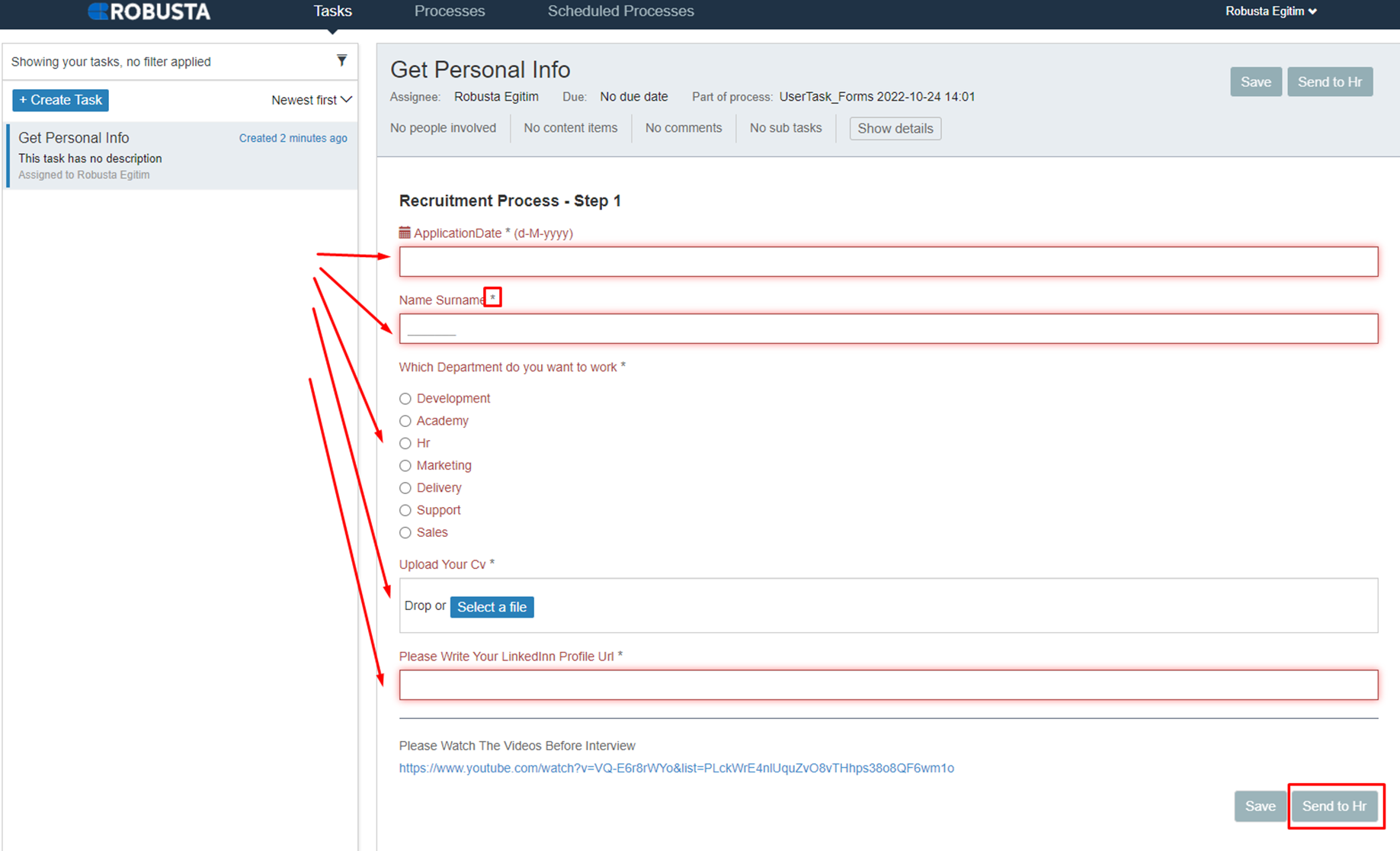
- The form appears in the Processes tab of the assigned person's Scheduler module.
-
Open the form by clicking the Active tasks field.

-
Once completed, the information entered by the user is transferred to the process variables.
- The completion button cannot be clicked until all required fields in the form are filled.
Filling Forms Triggered by a Start Event Activity
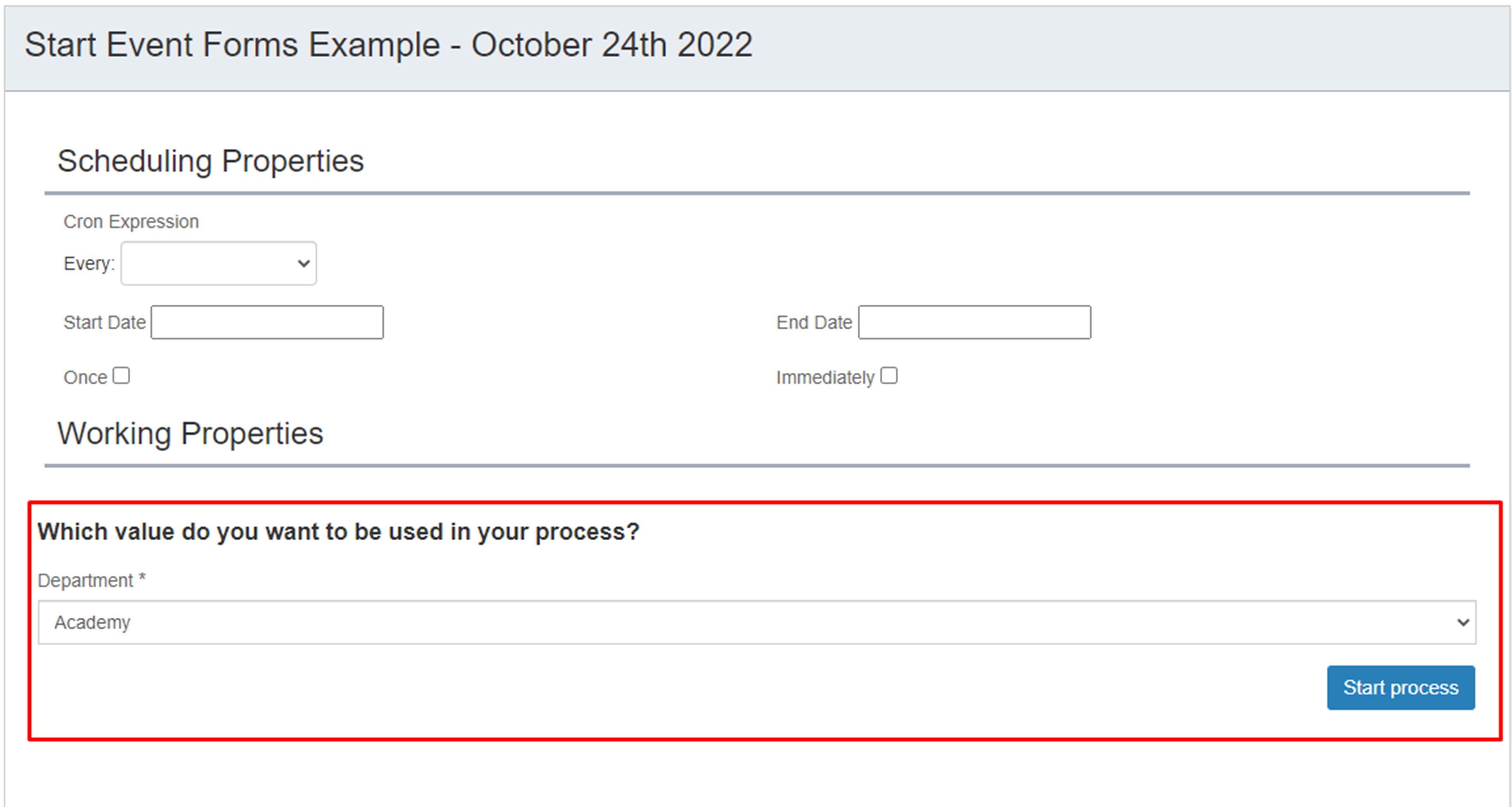
- When scheduling a process, parameters requested from external sources can be sent via a form.
-
Fill out the form on the Form Scheduler screen during process scheduling.
-
Complete the required fields and click the Start process button.