Secured keys
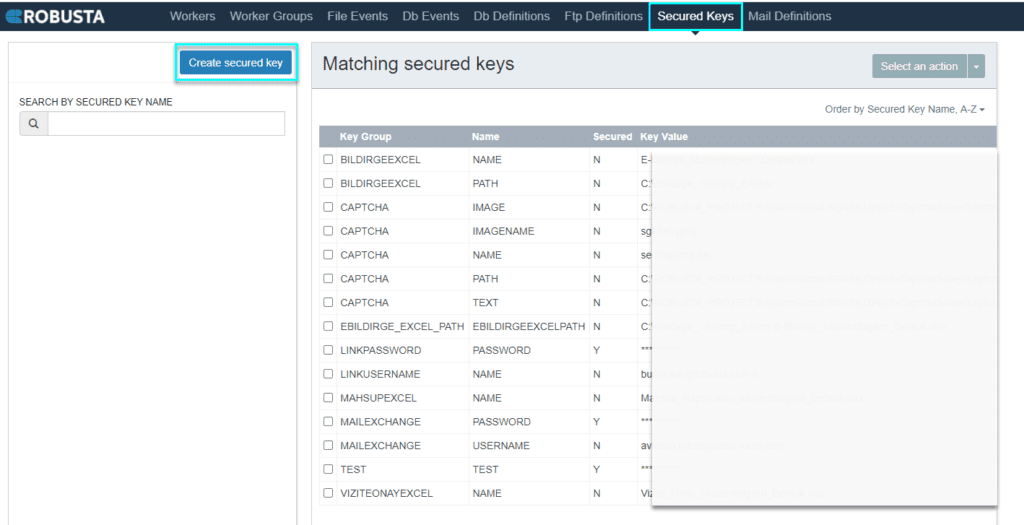
Secured keys provides an interface for defining both secure and unsecure variables, essential for accessing systems or executing processes. This feature enables the secure storage of confidential data, such as passwords, within a protected vault environment.
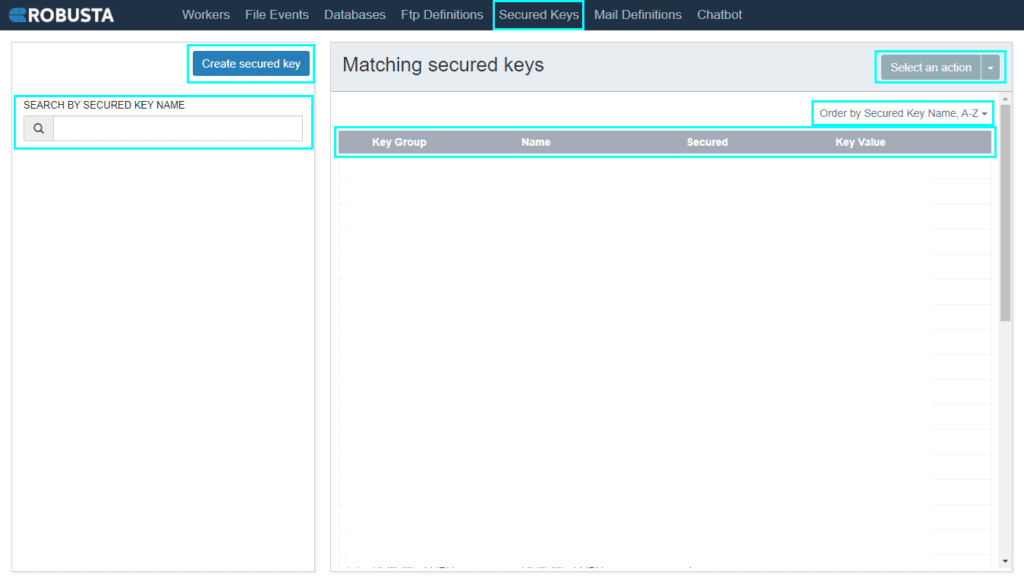
| Element | Description |
|---|---|
| Create secure key | Access the secure key creation field. |
| Select an action | Modify details of selected secured keys. |
| Search by secured key name | Locate secured keys by name within the list. |
| Order by secured key name | Sort secured keys by their name. |
| Key group | Categorization information for the key. |
| Name | The name of the secured key. |
| Secured | Indicates whether the key value is visible in the list. |
| Key value | The value associated with the key. |
Vault Service Activation
To utilize the Secured Keys feature via the Robusta Orchestrator interface, the vault service must be active. Follow these steps to start the vault service:
- Run CMD as administrator.
- In the command prompt, type
vault server -config=C:RobustaOrchestratorvaultconfig.hcland press Enter. - A new CMD window will open. Unseal the first three keys.
- The necessary keys are located in the
vault_keysfile within theC:RobustaOrchestratorvaultdirectory. - Execute the following commands:
Creating a Secured Key
To create a new secured key, click the Create secured key button.
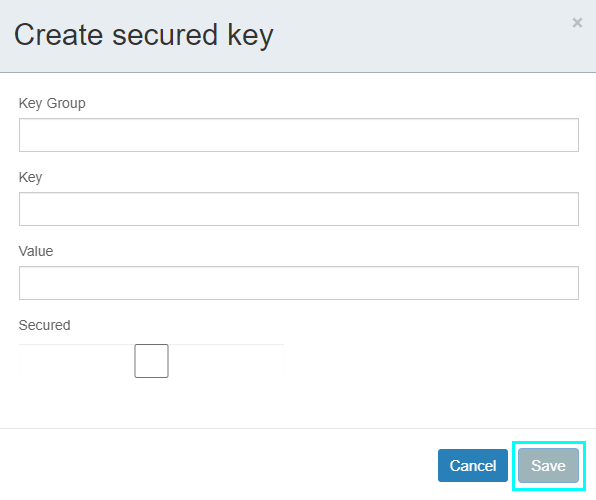
In the Key group box, define a key group, typically associating each application with a group. In the Key box, enter the information to be stored. If the information is a password that requires concealment, select the Secure checkbox. Click the Save button to complete key creation.
| Element | Description |
|---|---|
| Key group | Categorization information for the key. |
| Key | The name of the key. |
| Value | The value to be assigned to the key. |
| Secured | Determines whether the key's value is visible in the list. If selected, the "Key Value" column in the list will display as "*****". |
Using Secured Keys in Processes
Generated keys can be referenced as variables, allowing their values to be used in an encrypted manner within processes. These keys can be entered as
vault(Key Group,Key)in any field that accepts variables.For example, to use a
PASSWORDvariable from theMAILEXCHANGEkey group within a process, you would entervault(MAILEXCHANGE,PASSWORD)for encrypted usage.
Special Character Limitations
Caution: Key values do not support certain special characters, such as "ç", "ß", or "é".