Hit Policy – General Rules
When more than one rule matches the input data, this is known as overlapping rules , “Hit Policy” specifies what the Decision Table should do as a result. The “Hit Policy” is succinctly stated using the first character of the policy name for clarity.
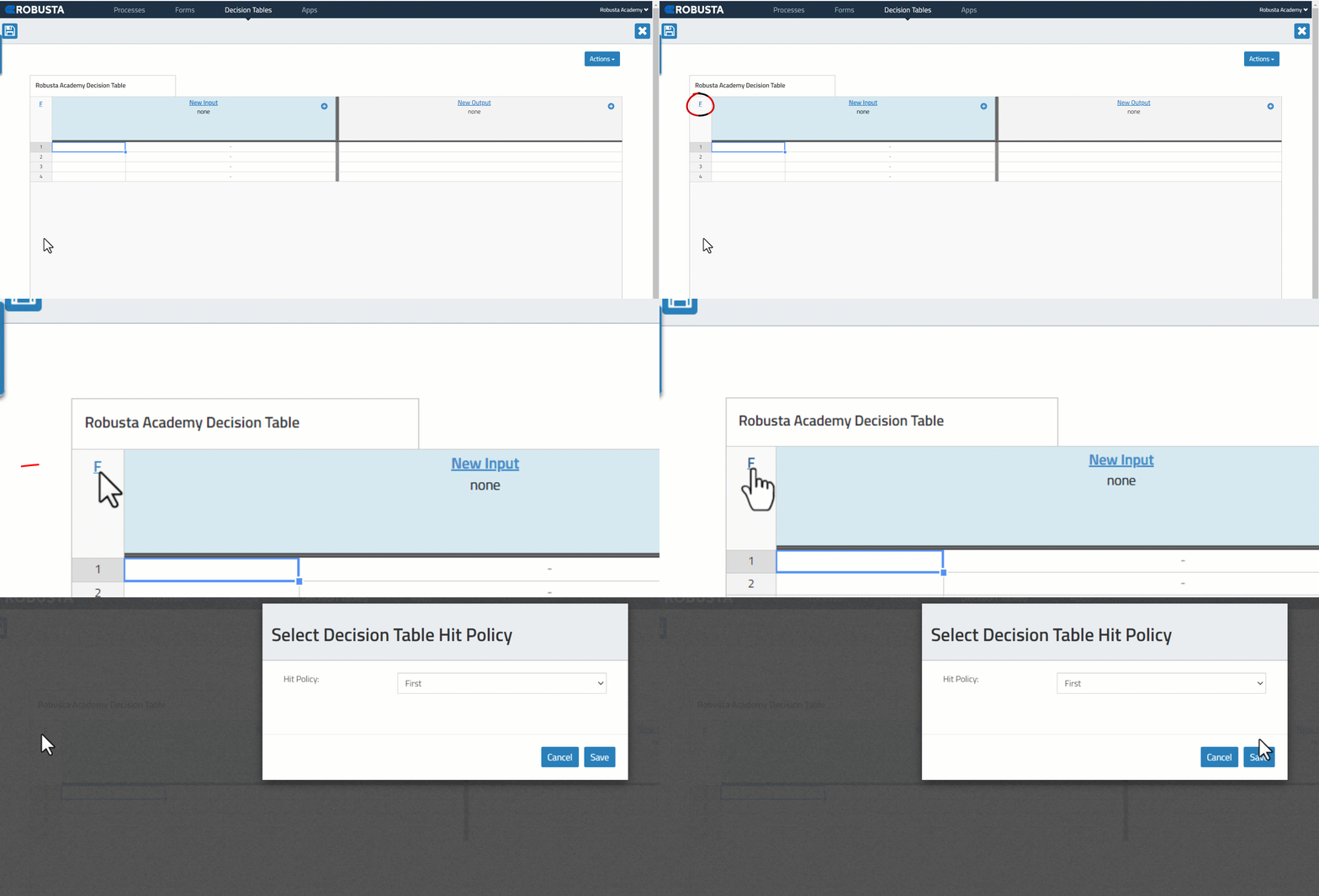
- Hit Policy is selected in this field.
/assets/images/d69abe2de222be86d0c5e5b4e07039a2.gif
Hit Policies
- Multiple (conflicting) rules can match different outputs.
- Rules are evaluated from top to bottom.
- Rules can conflict, only the first match matters.
-
The first matching value is output.
-
Conflict does not create a problem
- All matching rules should result in the same output.
-
All result outputs are the same and a single result is returned.
-
There is no conflict.
- All rules are discrete.
-
Only one rule can match.
-
Multiple rules can match, with different output entries.
- Priorities are independent from rule sequence.
-
Returns the matching rule with the highest output priority.
-
Returns all matches in rule order.
-
It results in a list of outputs in order.
-
Returns all of the hits in decreasing output priority order.
Collect operators are;
- C+Sum: Sum of all the distinct outputs of all matching rules.
- C<Minimum: The smallest value of the outputs of all matching rules.
- C>Maksimum: The largest value of the outputs of all matching rules.
- C#Count: Returns the number of distinct outputs of all matching rules.