Open SAP session
Open SAP session activity opens the SAP application and login the system.
| *SAP Application name | Reference name of the application will be opened. |
| *Connection name | SAP Logon screen’s connection name. |
| *Username | Enter the username used when logining the SAP application. |
| *Password | Enter the password used when logining the SAP application. |
| Client | Enter the client value when logining the SAP application. |
| Language | Enter the language value when logining the SAP application. |
| *SAP Logon exe path | The directory of the SAP application is entered. |
Note: * Fields selected with are required, others are optional.
SAP Application name example
You can use the SAP Application name as shown in the example.
newSapConnection
Connection Name example
You can use the Connection name as shown in the example.
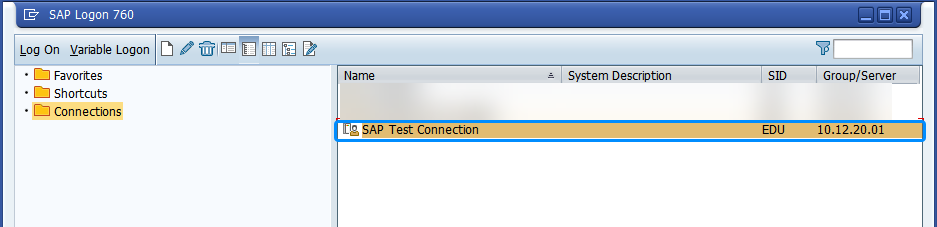
You can find your connection name from your SAP Logon screen. You can copy and paste the value. You must enter the same parameters.
SAP Test Connection
Username example
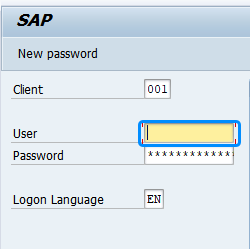
You can use the Username as shown in the example.
You can use your or worker’s username to connect the application.
username
Client example
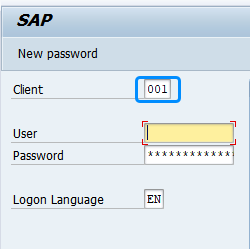
You can use the Client as shown in the example.
You can find your client information from SAP Logon screen.
001
Language example
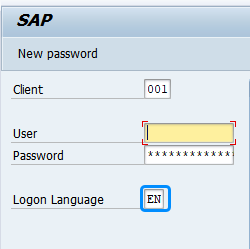
You can use the Language as shown in the example.
You can find your language information from SAP Logon screen.
EN
SAP Logon exe path example
You can use the SAP Logon exe path as shown in the example.
Default SAP logon path is written in the field. If your or worker’s SAP Logon path is in another directory, please make the necessary adjustments.
C:\Program Files (x86)\SAP\FrontEnd\SAPgui\saplogon.exe
Note
The Session can be closed with the Application > Close activity.