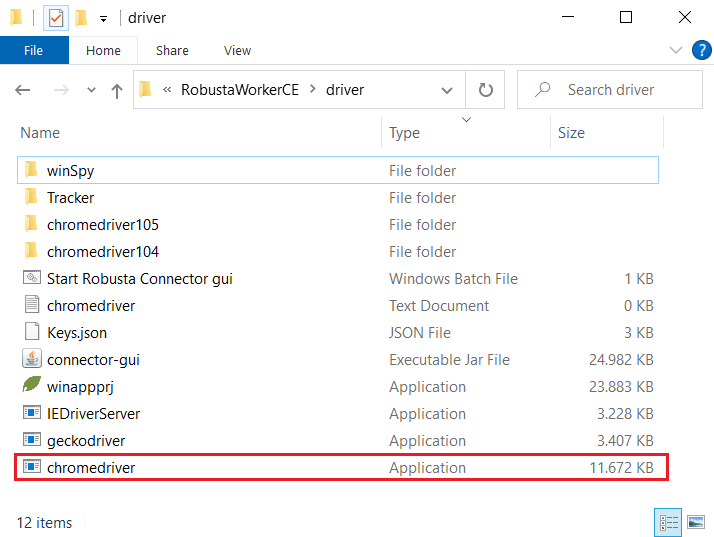
Chrome Driver Update
The browser driver used must be up to date.
Find out the Chrome Driver Version
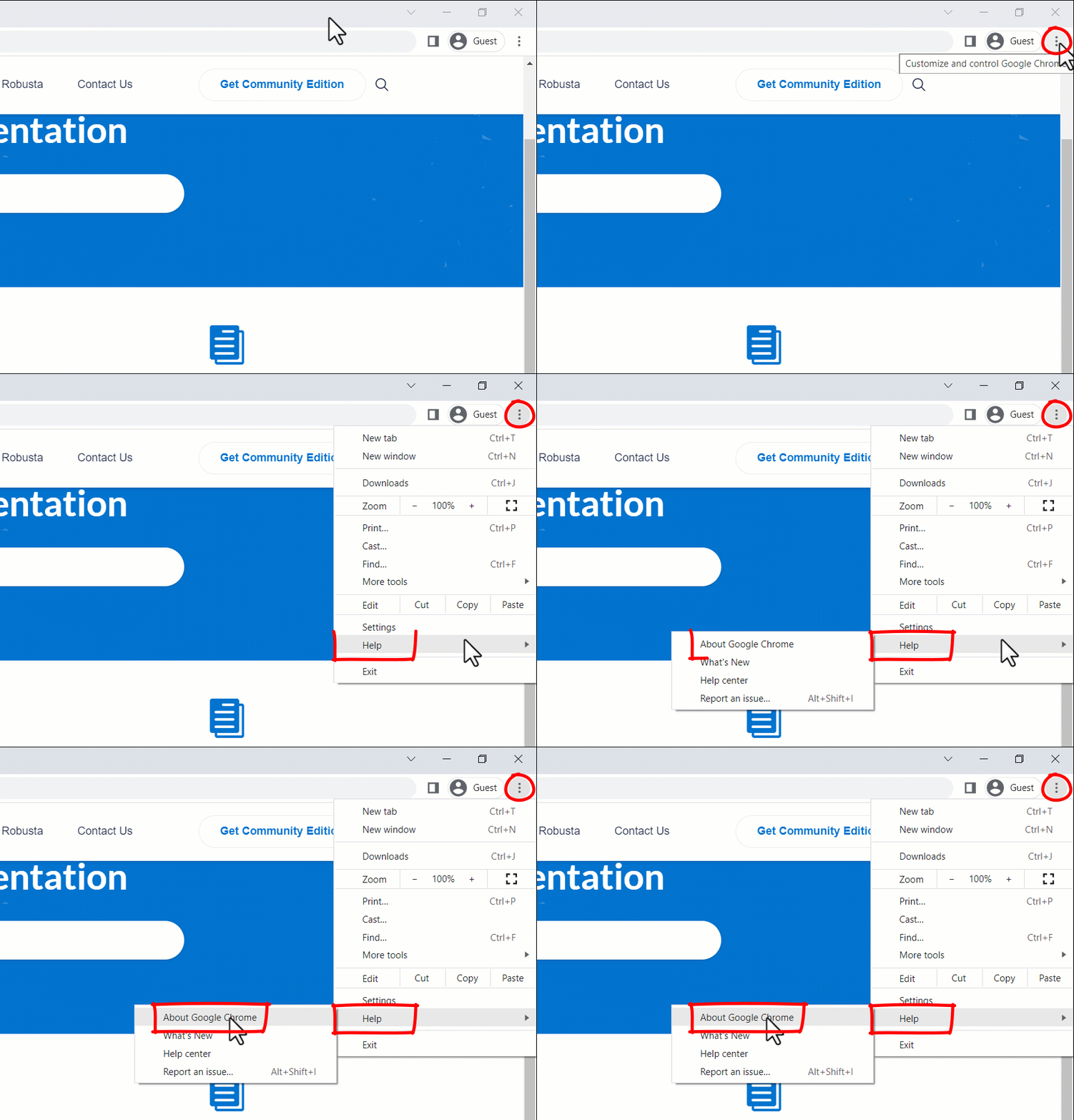
- Open Google Chrome on your Mac or PC.
- Click the three dots in the upper-right corner of the window.
- Hover your cursor over “Help.”
- Click “About Google Chrome.”
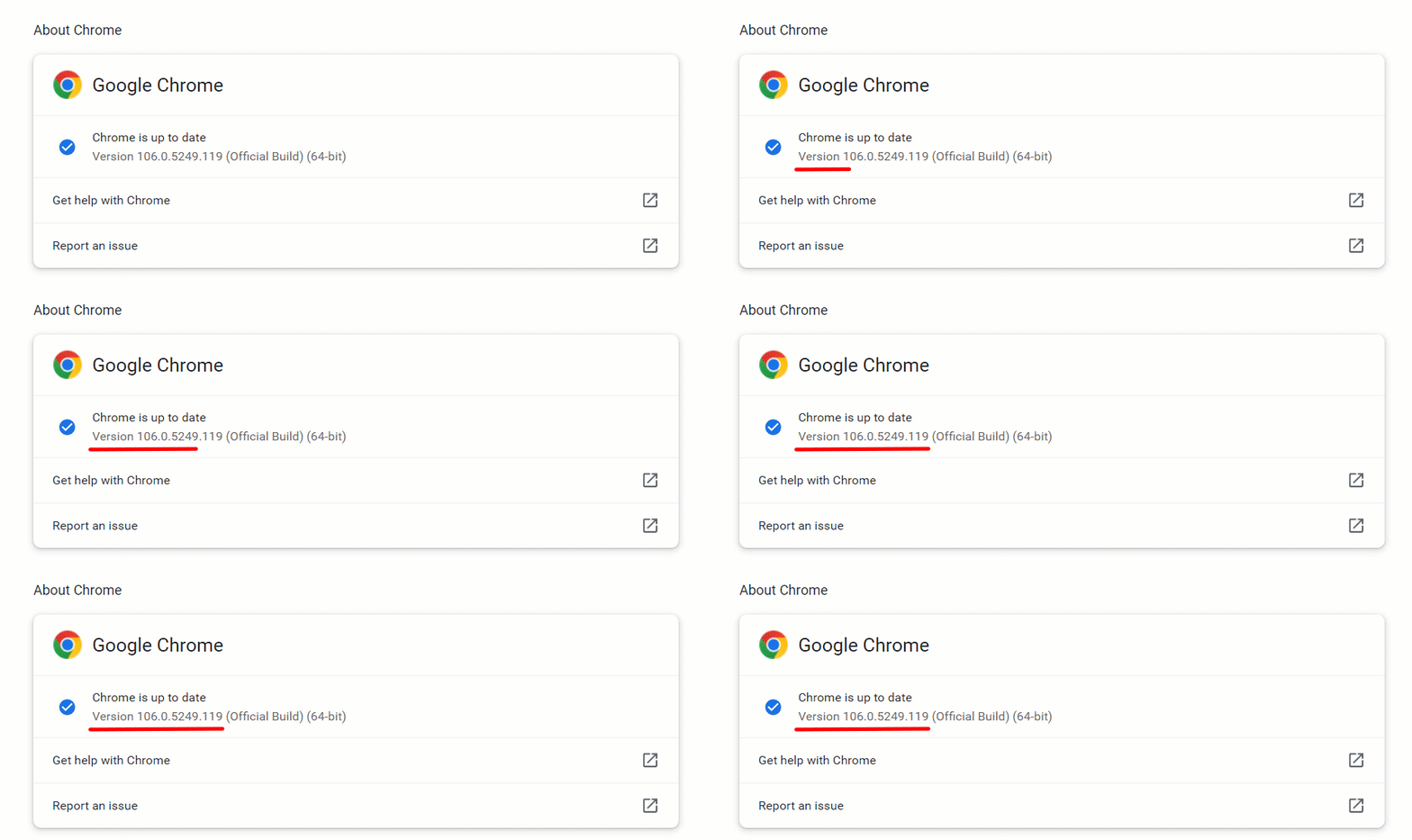
- The version of your Google Chrome browser will appear on the page
Download and Install the New Version
All versions of Chrome Driver can be accessed from this site.
https://chromedriver.chromium.org/downloads
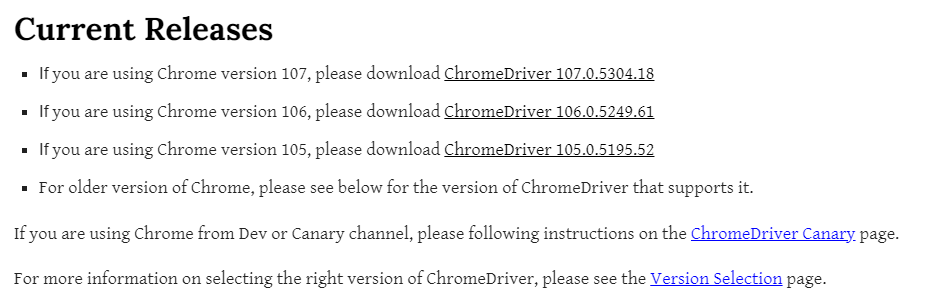
- Click the driver for the Version learned above by clicking “ChromeDriver xxx.x.xxxx.xx”.
- The version that needs to be downloaded in this example is
- “ChromeDriver 106.0.5249.61”
- Click and download the version suitable for your operating system.
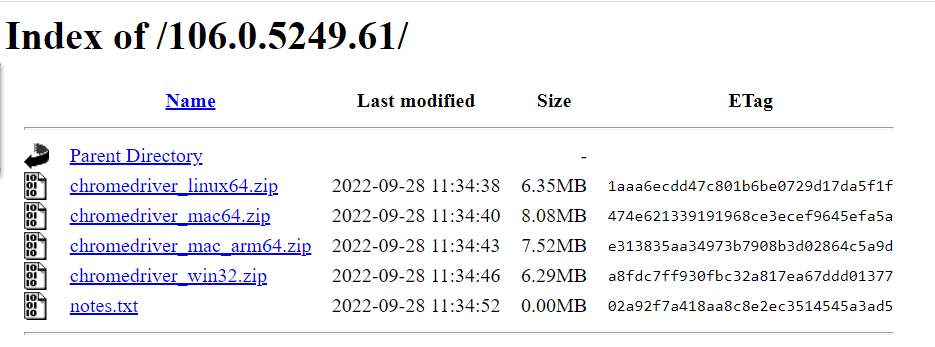
- Extract the Downloaded File from the zip.
- Before moving the .exe file to the relevant location, it is necessary to close
chromedriver.exe in your Task Manager.
- Go to the folder where Robusta Worker is installed
- C:\RobustaWorkerCE\driver
- Replace the downloaded file with chromedriver.exe