Secured keys
Secured keys is an interface where secure and unsecure variable definitions are made to access systems or use within process. Confidential data like passwords are defined here to hide in vault in a secure environment.
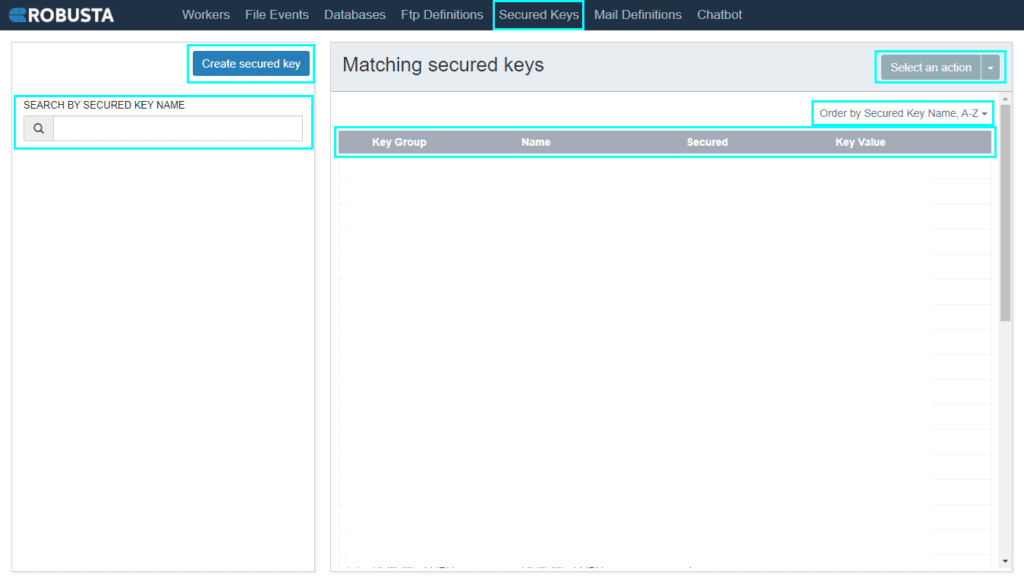
| Create secure key | Access secure key creation field through this button. |
| Select an action | Selected secured keys details can be changed. |
| Search by secured key name | Secured key on the list can be found via this field. |
| Order by secured key name | Orders secured keys by secured key name. |
| Key group | Group information to distinguish key. |
| Name | Name of secured key. |
| Secured | Key value is visible in the list or not. |
| Key value | Value of key. |
To use Secured Keys field via RPA-Admin interface, vault service must be active. To start vault service, follow the steps below:
- Run CMD as administrator.
- On the screen type vault server -config=C:RobustaOrchestratorvaultconfig.hcl and press enter.
- Then, a new CMD window will be opened and unseal first 3 key.
- The keys aforementioned are in vault_keys file in C:RobustaOrchestratorvault directory.
vault unseal key1 (enter)
vault unseal key2 (enter)
vault unseal key3 (enter)
Click Create secured key button to create key. On the image below, you can see file events definition that is created.
In Key group box, type key group and think of each app as key group. In Key box, enter information that will be kept. If information entered is a password that must be hidden, select Secure checkbox. Click Save button to finish to create key.
| Key group | Group information to distinguish key. |
| Key | Name of key. |
| Value | The value to be given to the key. |
| Secured | Determines whether the value given to the key is visible in the list. If selected, Key Value column in the list appears as ” * “. |
The generated keys can be called as as variables and their values can be used in an encrypted way within processes. These keys can be typed as vault(Key Group,Key) in every field where variables can be used.
If you want to use PASSWORD variable in the MAILEXCHANGE key group within a process, you should type vault(MAILEXCHANGE,PASSWORD) to use in an encrypted way.
The key value can not accept some of the special characters. For example: “ç”,”ß”,”é” etc.