Create and Import Tables
- Click on one of the decision table creation buttons marked below on the Decision Tables tab.
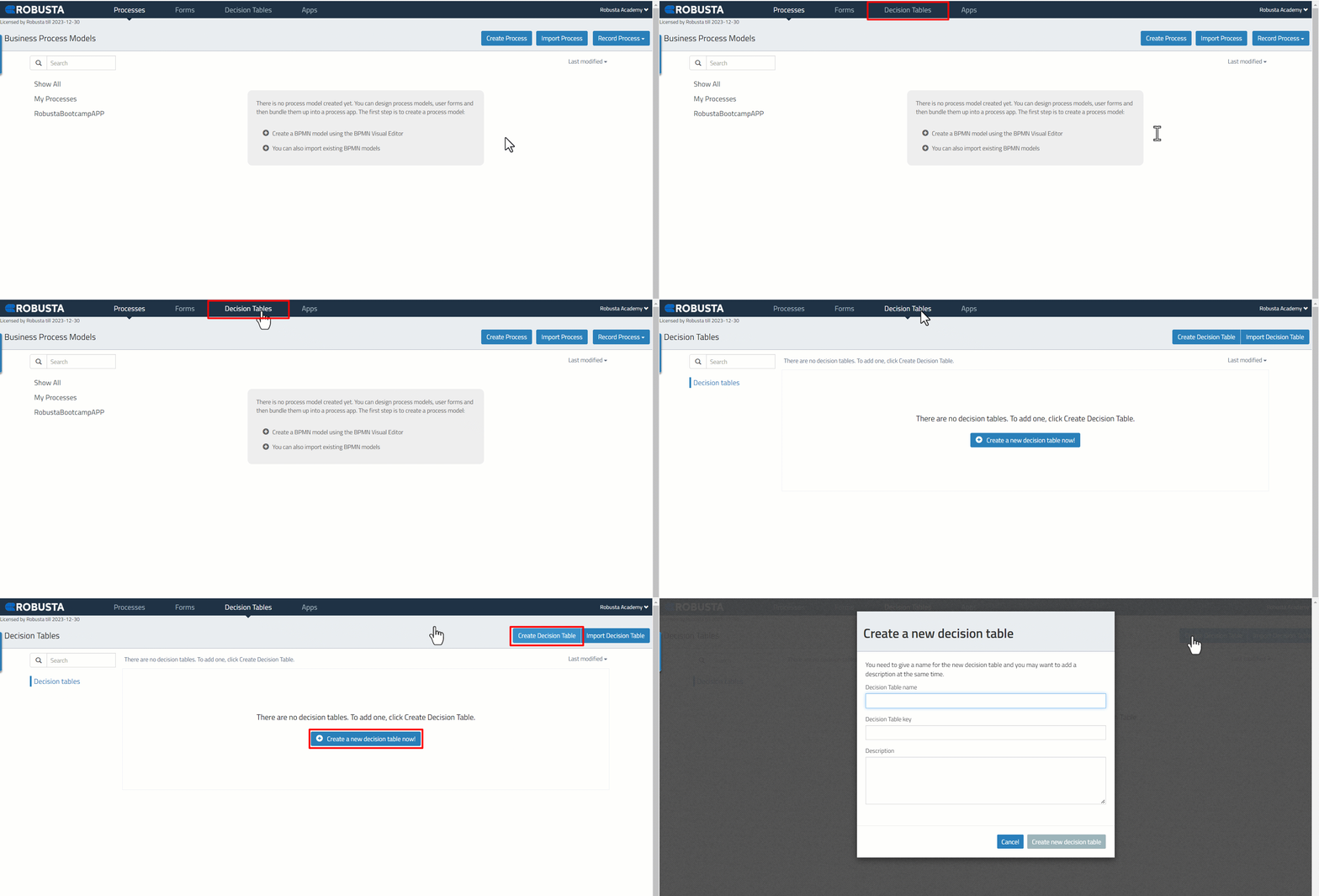
/assets/images/056167c20d39ff34fb060c3579060aa2.gif
| * Decision table name | The visible name of the decision table. Spaces can be used. |
| * Decision table key | The technical name of the decision table. Spaces cannot be used. |
| Description | The description of the model. Used for documentation. |
A Decision Table that has been created and saved in “dmn” format can be added to the “Decision Tables” interface with the import field.
/assets/images/7706d6c2da24ff6bd30aa85c52d6b37d.gif
- Click the “Choose File” button to select the .dnm file where it is located.
/assets/images/2e7ff5fa0442f4bcb20fae686560f564.png
/assets/images/b88aadf7fe64f2840ba57bf103e5591d.png