Threshold
Threshold activity is used for increasing or decreasing noise in images.
| *Input image | Path file name and extension of the image that will be processed. |
| *Output image | Path, file name and extension of the image that is processed. |
| Threshold type | Methods for increasing or decreasing noise in images. |
| Minimum value | Minimum value of threshold coefficient range. |
| Maximum value | Maximum value of threshold coefficient range. |
Note: * Fields selected with are required, others are optional.
Input image example
You can use the Input image as shown in the example.
C:Robustarobusta.jpg
Output image example
You can use the Output image name as shown in the example.
C:Robustagrayscale.jpg
Threshold type examples
You can use the Threshold type as shown in the examples.
Thresh_Binary : The threshold value is compared to each pixel’s value in the image, and pixels that exceed a certain threshold value are set to white while the remaining pixels are set to black.
Thresh_Binary_Inv : The threshold value is compared to each pixel’s value in the image, and pixels that exceed a certain threshold value are set to black while the remaining pixels are set to white.
Thresh_Trunc : The threshold value is compared to each pixel’s value in the image, and pixels that exceed a certain threshold value are set to this threshold value, while higher pixel values are preserved
Thresh_Tozero : The threshold value is compared to each pixel’s value in the image, and pixels that exceed a certain threshold value are preserved, while the remaining pixels are set to zero
Thresh_Tozero_Inv : The threshold value is compared to each pixel’s value in the image, and pixels that exceed a certain threshold value are set to zero, while the remaining pixels are preserved
Thresh_Otsu : The Otsu threshold determines an optimal threshold value using a histogram analysis method to achieve the best separation of object pixel density in the image
Minimum value example
You can use the Minimum value as shown in the example.
50
The default value is 50.
Maximum value example
You can use the Maximum value as shown in the example.
255
The default value is 255.
Sample Input and Outputs
INPUT

OUTPUTS
Thresh_Binary
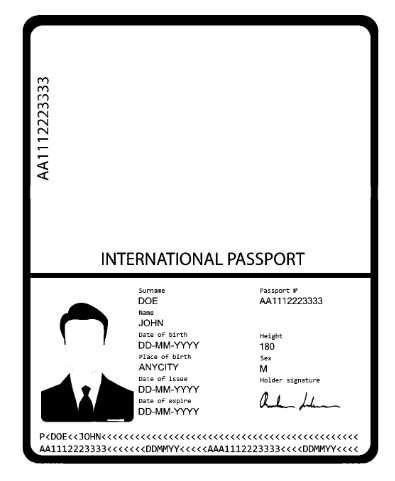
Note: The maximum value is 255 and the min value is 170.
Thresh_Binary_Inv
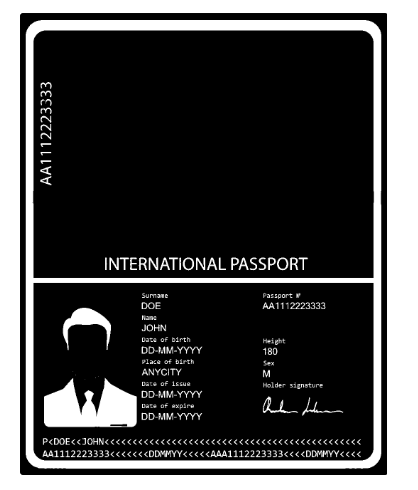
Note: The maximum value is 255 and the min value is 170.
Thresh_Trunc
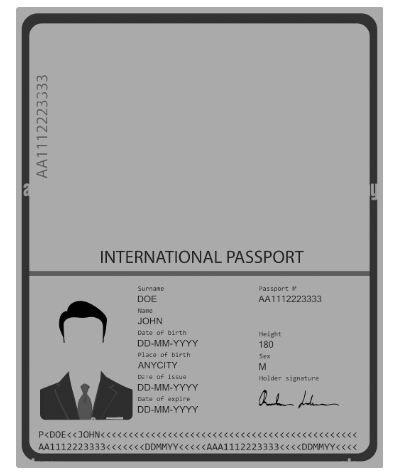
Note: The maximum value is 255 and the min value is 170.
Thresh_Tozero
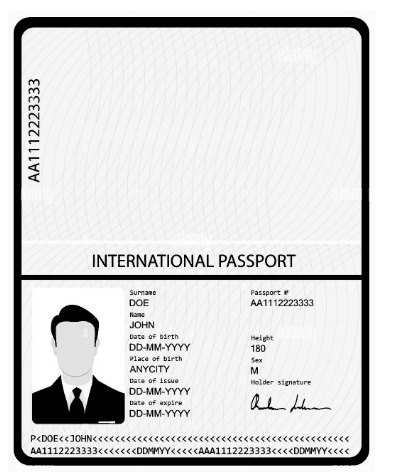
Note: The maximum value is 255 and the min value is 170.
Thresh_Tozero_Inv
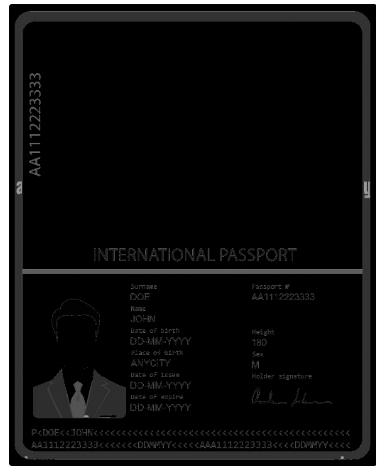
Note: The maximum value is 255 and the min value is 170.